Laserfiche
Do More. Faster.Say hello to process automation and enterprise content management that enables teams to work efficiently — without the struggle.
Laserfiche Cloud
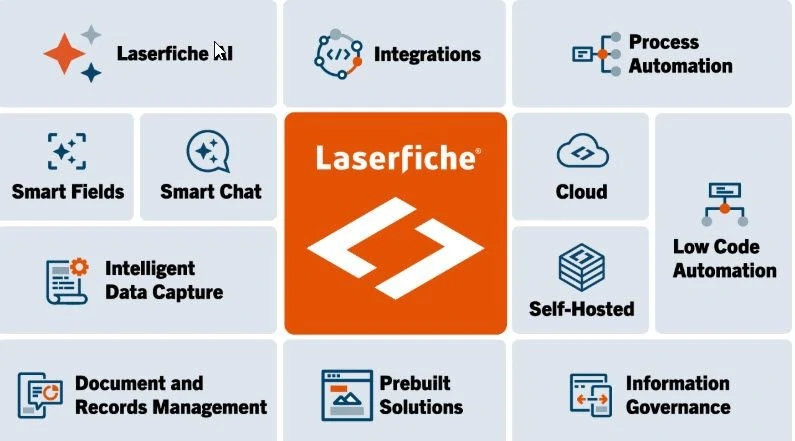
Laserfiche Cloud is a cloud-based enterprise content management platform that helps organizations securely store, manage, and automate documents and business processes without maintaining on-premise infrastructure. Key features include AI-powered document capture and classification (Smart Fields), workflow and forms automation, secure document storage with encryption and role-based access controls, integrations with external databases and applications, and AI tools such as Smart Chat for searching and summarizing information.
The main benefits include reduced IT maintenance, improved operational efficiency through automation, faster access to information, stronger compliance and security controls, and the ability for teams to securely access and collaborate on documents from anywhere.

Laserfiche AI
Laserfiche AI enhances document management by automatically reading, classifying, and extracting data from documents so they can be organized, stored, and routed through workflows with minimal manual effort. By using intelligent data capture, automated metadata tagging, natural-language search, and AI-assisted workflow automation, it helps organizations process documents faster, reduce data entry errors, improve compliance and security, and quickly locate important information—turning document repositories into actionable data that supports faster decisions and more efficient operations.
• Smart Fields• Smart Chat• Document Summarization• Regular Expression Builder• Handwriting Recognition• Smart Invoice Capture• Audio Video Transcription

Business Process Automation
Laserfiche is a comprehensive SaaS platform that combines enterprise content management (ECM) with business process automation (BPA) to help organizations digitize operations and eliminate manual tasks. It uses a low-code approach, allowing teams to build automated workflows and digital forms without extensive programming knowledge.


Laserfiche Connector
The Laserfiche Connector is a no-code, wizard-driven integration tool that allows you to connect Laserfiche with nearly any third-party web or desktop application. It bridges the gap between Laserfiche and your line-of-business (LOB) systems—such as CRMs, ERPs, and GIS—without requiring custom programming.
Key Capabilities:* One-Click Search: Launch a search in Laserfiche directly from another application using data on your screen.* Data Capture & Mapping: Automatically capture information from a third-party app to populate Laserfiche metadata fields, templates, or forms.* Workflow Automation: Trigger Laserfiche workflows or business processes from within your external software.* Screen Scraping & Writing: Read data from one application's screen and write it into another, or take screenshots and save them directly to the repository.* Flexible Interaction: Activate these actions via customized on-screen buttons, keyboard shortcuts, or command-line triggers
.jpeg)
Laserfiche Public Portals
The Laserfiche Forms Public Portal allows organizations to publish online forms to the public so residents, customers, or vendors can submit information without needing a Laserfiche login. It is commonly used by municipal governments, counties, and utilities to collect requests and applications online.
A Laserfiche Public Portal weblink is the URL you share with the public so they can access documents or forms stored in your Laserfiche system without logging in.
Laserfiche Mobile
Laserfiche Mobile is an app (Android and Apple) that enables you to capture, upload, and securely access and work with documents inside Laserfiche while on the go.
You can browse for documents in a folder structure; search all your content; create, copy, move, rename, download, print, and delete documents; modify document fields; and view annotations; Additionally, you can add documents to Laserfiche from other apps, the mobile device's gallery, or its camera.
You can browse for documents in a folder structure; search all your content; create, copy, move, rename, download, print, and delete documents; modify document fields; and view annotations; Additionally, you can add documents to Laserfiche from other apps, the mobile device's gallery, or its camera.


Laserfiche Forms and Capture Tools
Laserfiche Forms and Capture tools provide a comprehensive, no-code platform for digitizing, automating, and managing documents and data from ingestion to archival. Key tools include Intelligent Forms for data submission, Quick Fields for batch scanning, and AI-powered Smart Fields for automatic classification. These solutions enhance efficiency by reducing manual data entry and improving accuracy across departments.
Unlock valuable information with AI-capture tools that process high volumes of content, extract data and automatically organize files.